 ELMEDIA
Streaming has made it easier than ever to listen to music, but convenience sometimes comes at the cost of sound quality. Anyone who truly loves music has probably wondered whether there’s a better way to hear it with all the small details, depth, and texture that were captured in the studio.
High-resolution audio was created for exactly that kind of listening experience. In this guide, we’ll explain what hi-res music is, how it compares to regular formats, and how to listen to high quality music.
What is High-Resolution Audio and What Are Its Benefits
High-resolution audio offers the highest audio quality. These file types take up more space than low-resolution ones. This is because they preserve virtually all the audio information from the original recording.
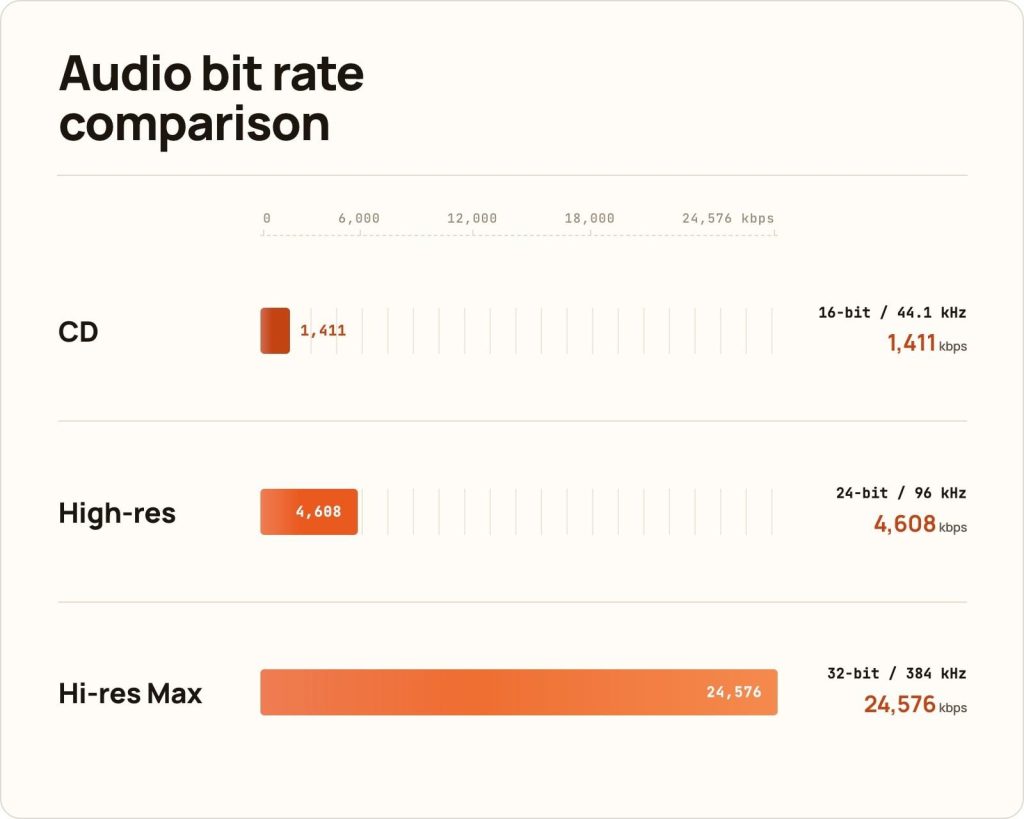
A standard CD normally has a bit depth of 16 bits and a sample rate of 44.1 kHz. High-res audio usually starts at 24 bits and at least 48 kHz, with many files available in 24-bit/96 kHz or 24-bit/192 kHz. Some files may also use sample rates such as 88.2 kHz or 176.4 kHz.
- (kHz) – refers to the number of times per second that audio is “sampled” or measured during analog-to-digital conversion.
- (bits) – determines the dynamic range, meaning the difference between the quietest and loudest sounds.
The sample rate tells you how many times per second the sound is captured during the analog-to-digital conversion process. The bit depth affects dynamic range, which is the difference between the quietest and loudest sounds in a recording.
Moving from 16-bit to 24-bit gives the recording more room to preserve subtle changes in volume and detail.
Because of this, hi-res music files are usually much larger than MP3s or other low-quality files. They need more storage space and more bandwidth when streamed. It’s a fair trade-off for serious listeners.
Benefits of High-resolution Audio
Here are some benefits of high-quality audio:
- It reveals small details that may be lost in lower-quality formats, such as the natural fade of a piano note, the texture of a drum hit, the space between instruments, or the breath in a singer’s voice. This makes the music feel more realistic and closer to the studio version.
- It’s usually uncompressed or losslessly compressed. Unlike MP3 files, which remove some audio data to reduce file size, lossless hi-res formats preserve the original information. This reduces the thinness, harshness, or distortion that may come with heavily compressed music.
- It can also offer a wider dynamic range. This means soft parts can sound more delicate, while loud parts can feel more powerful. This is especially noticeable in genres like classical, jazz, acoustic, and live recordings, where subtle changes in volume and emotion are a big part of the listening experience.
That said, high-resolution audio doesn’t automatically make every song sound better. An audio format high-quality file can still sound disappointing if the original recording or mastering is poor. Your headphones, speakers, DAC, and listening environment also affect how much difference you actually hear.
Lossless Audio vs. Hi-Res Audio
Lossless audio means a file is compressed without losing any audio data. When played back, it restores the original sound exactly.
Hi-res audio, on the other hand, refers to file resolution. It means the music has a higher bit depth and sample rate than CD quality.
A file can be lossless but not hi-res, like a CD-quality FLAC file. Going the other way, it’s technically possible to have hi-res audio that isn’t lossless, though that’s far less common. When a track combines both higher resolution and lossless compression, it becomes hi-res lossless music.
Key Differences
- Resolution: Standard lossless audio sits at 16-bit/44.1 kHz. High-resolution audio starts at 24-bit/48 kHz and can go much higher, offering a wider dynamic range and more detailed frequency spectrum.
- Compression: Both lossless and hi-res files are usually compressed using formats like FLAC or ALAC. But since hi-res files start out with significantly more data, they remain considerably larger than standard lossless files.
- Hardware Requirements: Lossless audio only needs good wired headphones to appreciate. However, to enjoy the highest audio quality from hi-res files, you may need a capable media player, a good DAC, and headphones or speakers that can reveal the extra detail.
What is the Best Audio Quality: High-Resolution File Types
The best audio format depends on how you listen, what devices you use, and whether you prioritize file size, compatibility, or pure sound quality.
Below are some common formats for high-resolution audio:
WAV
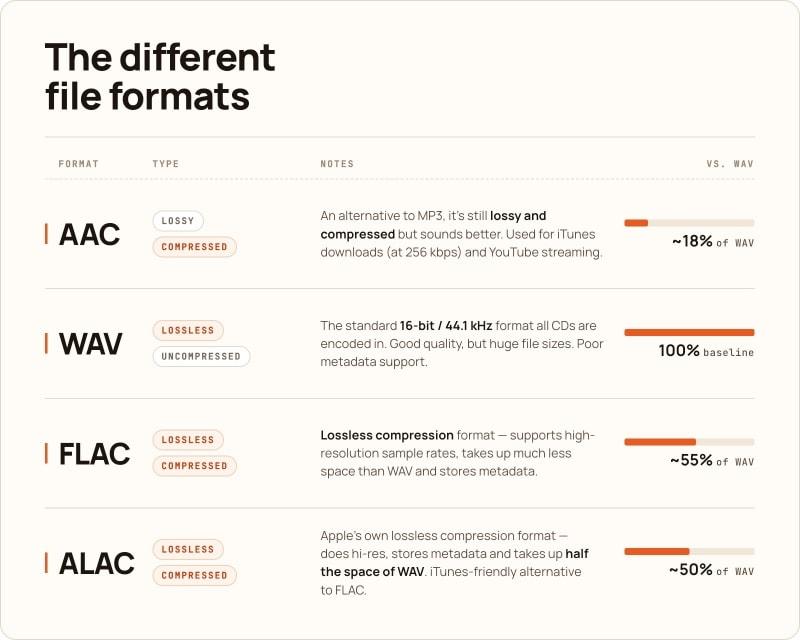
This is one of the most common uncompressed audio formats. It’s often used for CDs and studio-quality files because it preserves the original audio data. WAV files can deliver excellent sound quality and work on both Windows and Apple devices. The downside is that they are large and not always the best at storing metadata like album art, artist names, and track details.
AIFF
Developed for Mac and iOS environments, AIFF has slightly better metadata support than WAV, which helps when organizing a music library. It performs just as well as WAV in terms of audio quality, but it never became widely popular outside Apple’s ecosystem.
WAV and AIFF are chosen by people who want the highest quality music format with no compression at all.
FLAC (Free Lossless Audio Codec)
FLAC is considered the best audio format for downloading and storing hi-res music. It uses lossless compression to reduce file sizes to roughly half of WAV while preserving every detail of the original recording. It’s also royalty-free, supports high sample rates, and handles metadata well.
ALAC (Apple Lossless Audio Codec)
ALAC is Apple’s version of a lossless audio format. It achieves similar compression to FLAC, supports full hi-res playback, and works more smoothly with Apple devices and services. The entire Apple Music catalog is encoded in ALAC, making it a strong option for anyone using Apple Music, iPhone, iPad, or Mac.
How to Listen to High-Res Music
The entire playback chain needs to support higher-quality audio if you want to fully enjoy high-res music.
Follow the steps below for proper hardware and software setup:
- Buy and download high-resolution albums from dedicated music stores, such as HDtracks, HighResAudio, and Qobuz. HDtracks is usually the preferred choice if you’re interested in a wide range of genres, including classical, jazz, rock, and world music.
- Before downloading, check the file details. A track labeled 24-bit/96 kHz or 24-bit/192 kHz surpasses standard CD quality. Also, make sure the format is compatible with your device or media player.
- Use wired headphones, in-ear monitors, or a wired connection to your home stereo system. If you’re listening through speakers, make sure they are good enough to reveal the extra detail in the recording. Bluetooth is not a good option because it lacks the bandwidth for true high-res and compresses the audio before it reaches your headphones or speakers.
- Try an external USB or desktop DAC for improved playback quality, especially when listening from a computer. Popular choices include the Chord Mojo 2, Cambridge Audio DacMagic 200M, and AudioQuest DragonFly Cobalt. Connect the DAC to your computer or mobile device, then plug your wired headphones or speakers into the DAC.
- Choose a media player that supports your file type and can output audio in its original quality.
- Check your system settings. Make sure your computer doesn’t downsample or convert the file during playback. In some cases, you may need to manually select the correct output device, such as your external DAC.
- Listen in the right environment. If there’s too much background noise, you may not notice the subtle details that make high-resolution music special. It also depends on the recording itself. A well-mastered track will usually sound better than a poorly mastered one, even if both are hi-res.
Media Players for High-res Audio
Elmedia Player for Mac
If you use a Mac, Elmedia Player is best for playing high-resolution audio without extra setup.
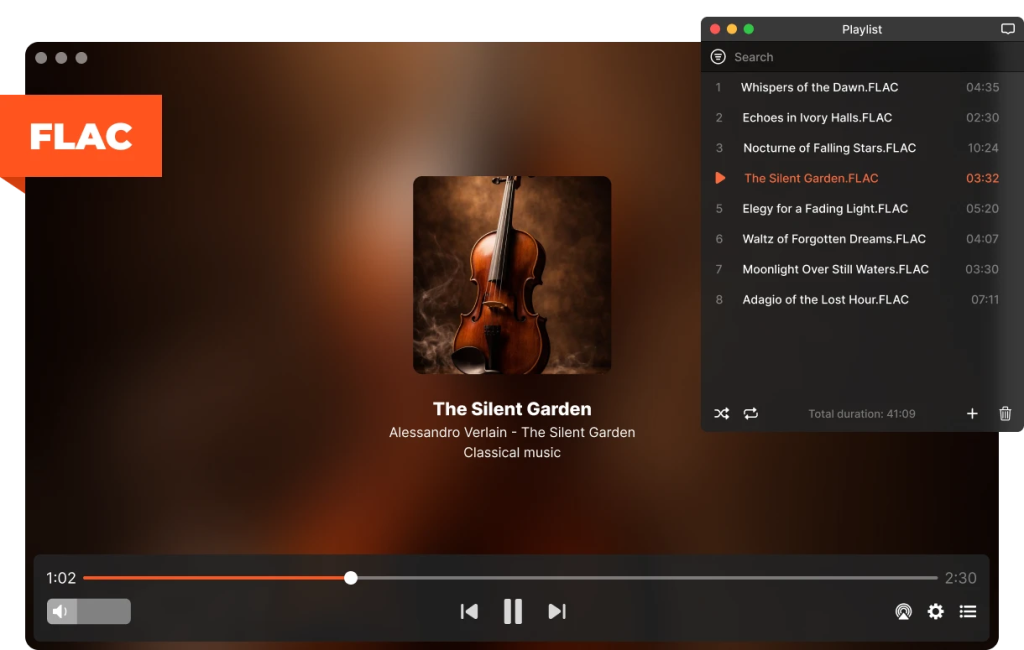
It supports many audio formats, including FLAC, MP3, AAC, AC3, AIFF, APE, MKA, and OGG, so you can open music files from different sources and start listening without installing additional codecs. Elmedia also supports video formats such as MP4, AVI, MOV, MKV, FLV, and WMV, so you can use one player for both music and video.
With the free version, you get smooth playback, broad format support, playlist control, audio sync controls, and a 10-band audio equalizer to fine-tune the sound for your headphones or speakers.
Elmedia Pro enhances audio playback with support for audio device selection, multichannel audio configuration, and Passthrough for hardware decoders. You can also stream media from your Mac to Smart TVs, Chromecast and Google Cast-enabled devices, AirPlay devices, and DLNA-compatible devices.
Auris for Windows
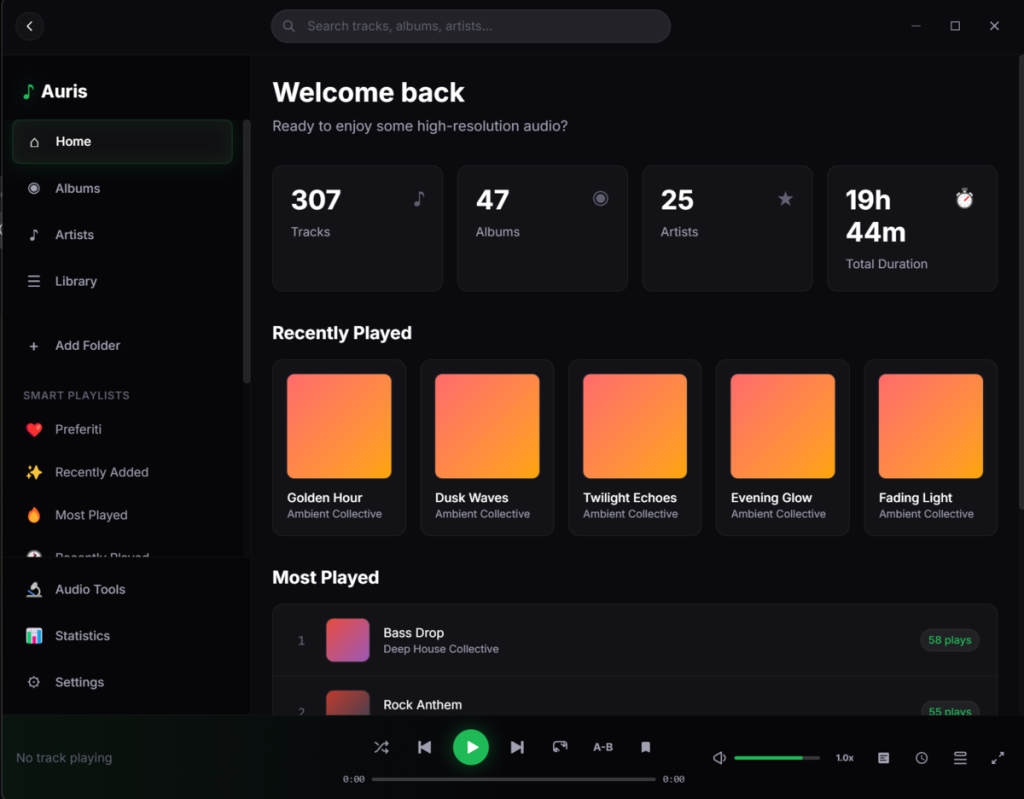
For Windows users, Auris is a great choice for hi-res lossless playback. Like Elmedia, it handles FLAC, WAV, AIFF, ALAC, and DSD natively, without needing plugins or third-party codecs.
What sets Auris apart from generic media players is its WASAPI Exclusive mode. It bypasses the Windows audio mixer and sends your audio file directly to your DAC at its native sample rate with no interference or resampling.
Auris also supports high-resolution playback up to 32-bit/384 kHz and DSD256. In addition, it includes a dynamic range meter, LUFS loudness analysis, clipping detection, a 10-band parametric EQ, and AutoEQ headphone profiles. That’s why it’s preferred by audiophiles who want more control over playback and sound tuning.
How to Listen to High-Res Music Online
Several major streaming platforms now offer hi-res lossless audio as part of their subscription tiers, so you don’t have to download and manage music files.
Spotify
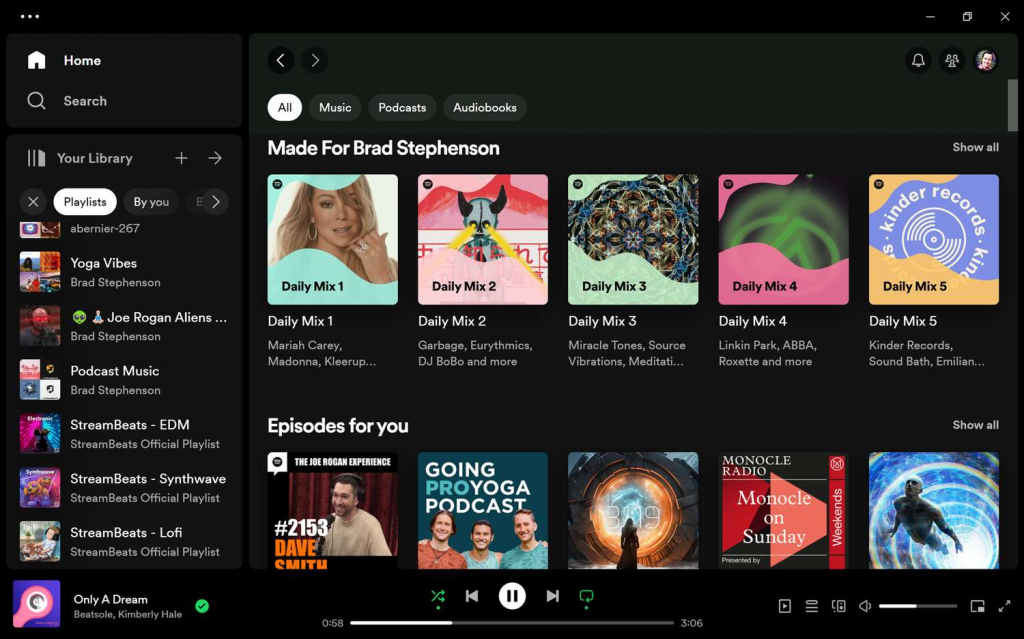
Spotify has finally introduced CD-quality streaming with the launch of Spotify Lossless for Premium users. This option allows you to stream music in FLAC format at up to 24-bit/44.1 kHz on both desktop and mobile.
However, it still doesn’t fully qualify as high-resolution audio. Most tracks currently stream at CD-quality 16-bit resolution.
For everyday listeners, Spotify is still hard to beat because of its simple interface, playlists, recommendations, and search features. But if your main goal is the highest sound quality, it may feel limited compared with services built around hi-res streaming.
Amazon Music
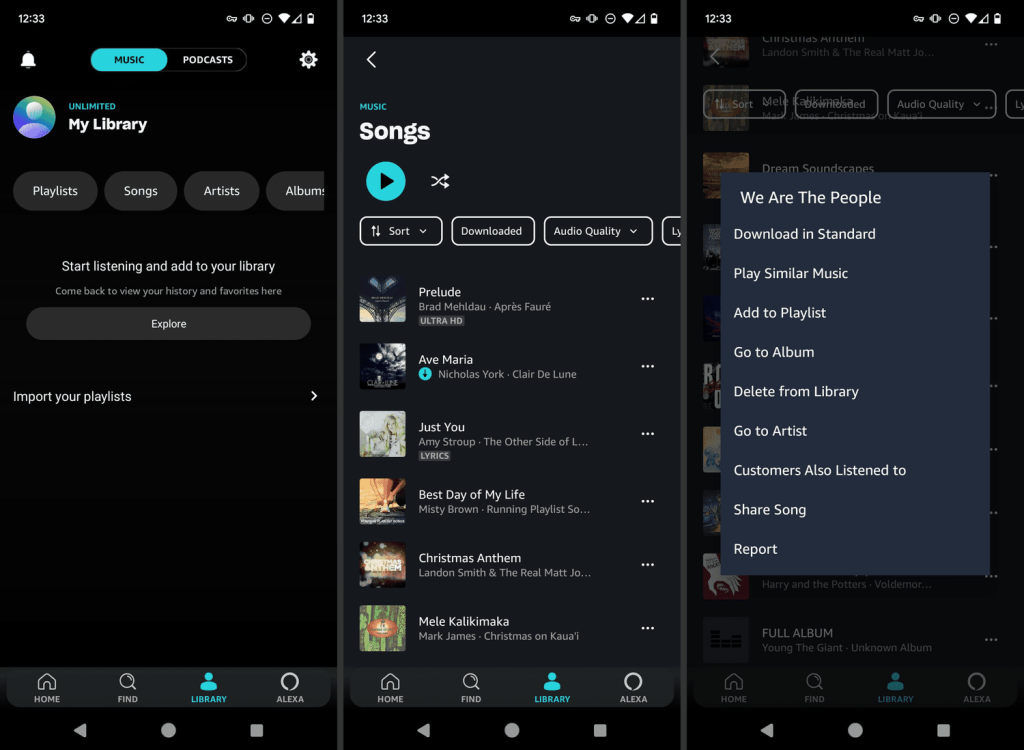
Amazon Music fully integrates lossless audio into its standard Unlimited subscription that includes two tiers: HD at 16-bit/44.1 kHz (CD quality) and Ultra HD at up to 24-bit/192 kHz. Both HD and Ultra HD tracks are streamed in FLAC.
The catalog includes over 100 million songs across both tiers at no additional cost above the base subscription. It’s one of the most accessible and cost-effective ways to get into hi-res lossless streaming, especially if you already use Amazon devices, Echo speakers, or Fire TV.
Apple Music
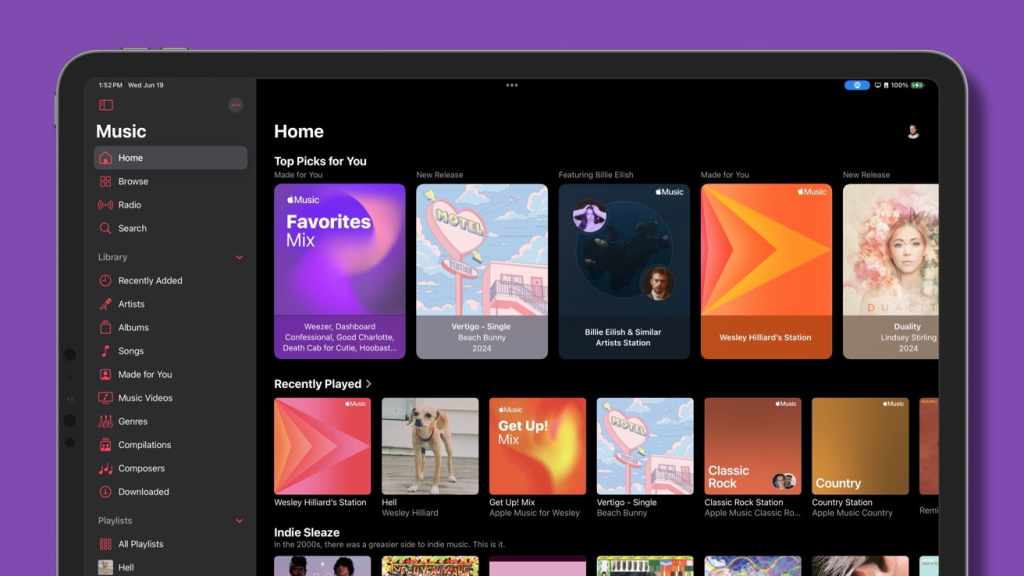
Apple Music made a significant move in 2021 when it made high-resolution audio available to all subscribers at no extra charge. Its catalog now spans three quality tiers: CD quality at 16-bit/44.1 kHz, Lossless up to 24-bit/48 kHz, and Hi-Res Lossless up to 24-bit/192 kHz. All are encoded in ALAC.
One thing to keep in mind: you’ll need a wired connection and an external DAC to unlock the full 24-bit/192 kHz experience, since most built-in device converters can’t handle that resolution on their own.
Conclusion
High-resolution audio gives listeners a way to hear more detail, depth, and texture from their favorite music. Whether you prefer downloading FLAC or ALAC files and playing them through Elmedia Player or Auris, or streaming hi-res lossless content via Amazon Music or Apple Music, getting into hi-res audio is more accessible than ever.
As for the setup, a good pair of wired headphones, a decent DAC, and the right music player are all it takes to hear hi-res music at its best.