 ELMEDIA
Slow motion video playback can produce interesting results. It can reveal the movie details you’ve missed, or give you an alternative perspective on mundane things. Many players across desktop and mobile platforms have a playback speed feature, so it may be hard to choose. We’ve found the best video players in this category – and you only need to check out this list.
Slow Motion Players for macOS
Elmedia Player
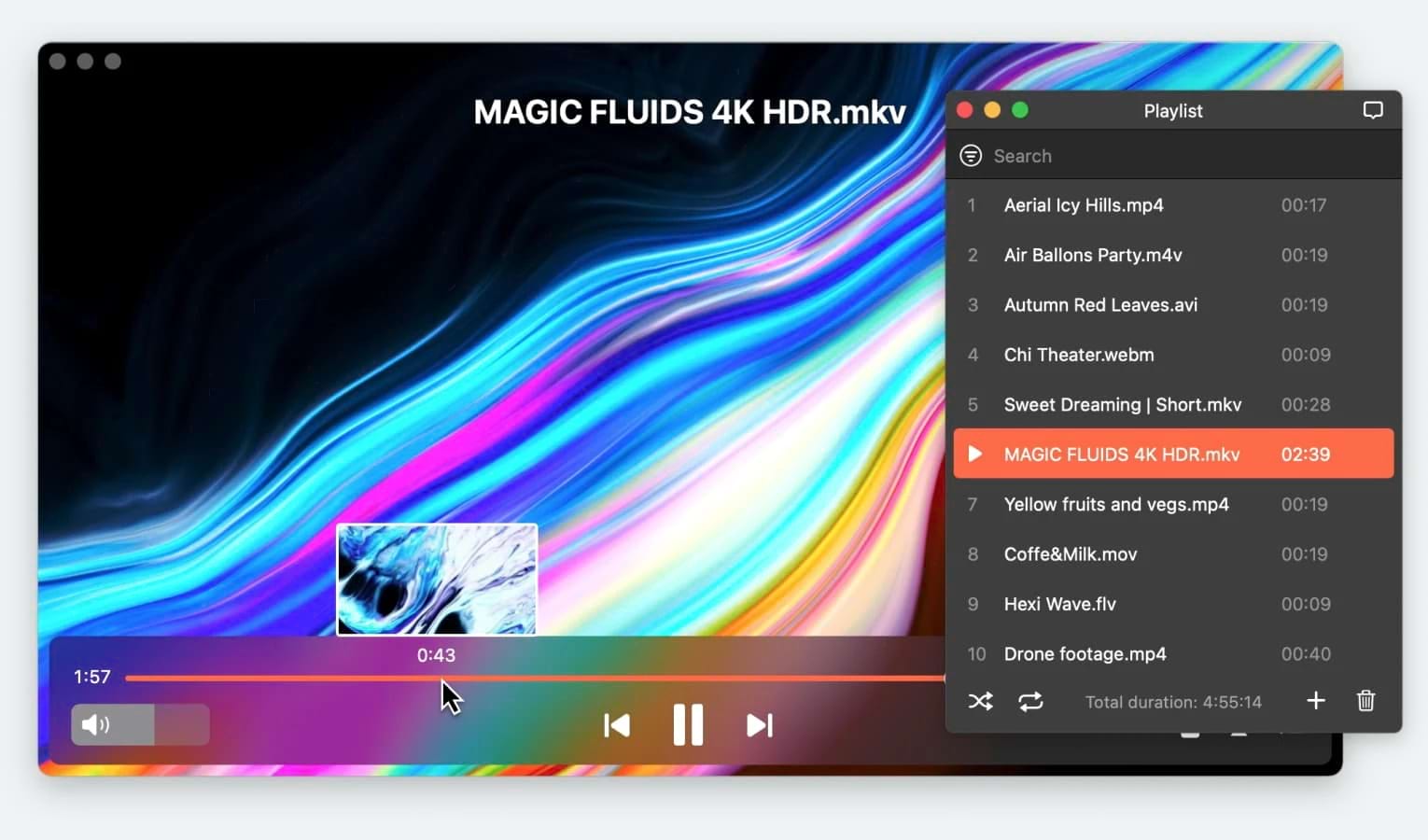
This Mac video player allows you to playback video in slow motion by configuring and reducing its speed. That applies to almost any video you can find, due to its large variety of available codecs. Better yet, the slowed video can be configured using a video tuner, adding visual effects such as rotation or color correction. Elmedia Player can stream to Smart TVs, and the streamed video will also be slowed down.
To decrease the speed select Playback -> Decrease Speed or press ⌘[ on the keyboard. Click the hotkey or a menu option until the desired slow speed is reached.

Top Features:
- Streaming in a few clicks
- Audio equalizer, video tuner
- Playlists and bookmarks
- Compatibility with any formats
- Free version availability
Pros
- Can play video in slow motion
- Any aspect can be configured
- The interface is easy to use
- Helpful manual and tech support
Cons
- Payment needed to unlock the full feature set
- Made only for macOS
OS: macOS
Price: free, Elmedia Pro is available for $19.99
QuickTime
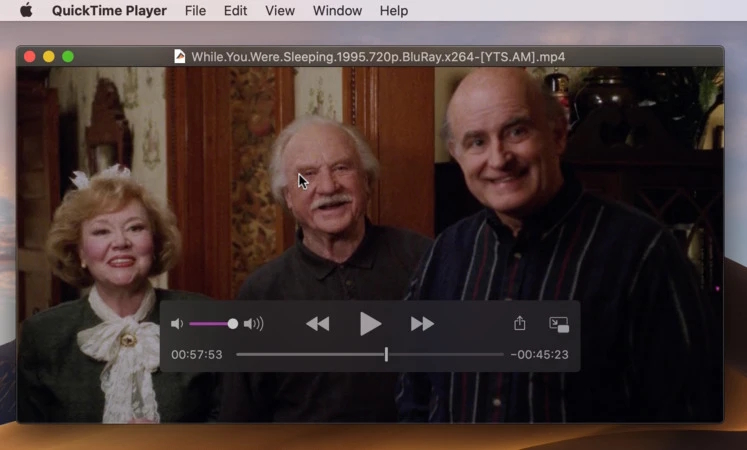
Surprisingly, QuickTime offers video play slow capabilities. They are very limited – you can’t just change a setting to play in slow motion; you have to hold K+L or K+J for slow playback. Which is a shame, because QT7 implemented it as a convenient slider. Nonetheless, QuickTime 10 is a possible solution for default macOS users who might not want to install a different player.
Top Features:
- It’s a built-in system player
- Plays video files natively
- Can record your screen
- Has tons of minor options
Pros
- Default, safe and stable
- Always works on the newest macOS
Cons
- Limited format selection
- Lacks the customizability of third-party players
OS: macOS
Price: free
Filmora Wondershare
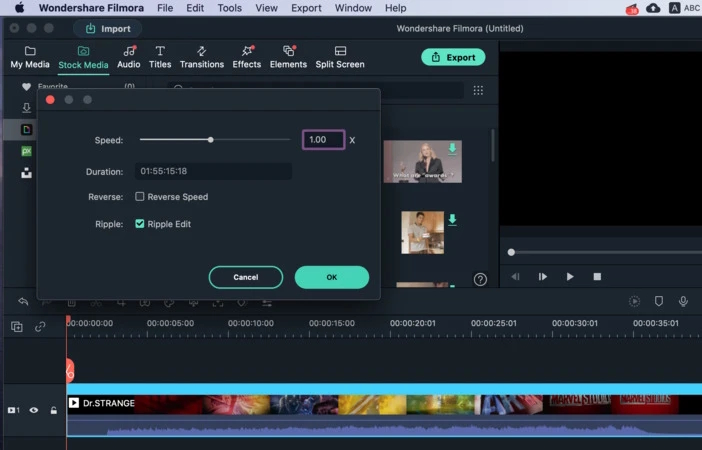
A media app allows you to temporarily watch videos playing in slow motion. But if you want the speed changes to stick, you should use a video editor – for example, Filmora Wondershare. It can reduce the speed of any clip by a lot – all the way down to 0.1x. You’ve got to have a very high frame rate to make use of this kind of slowdown. And once it’s saved, any player will open your video at the same speed.
Top Features:
- Edits video in many different formats
- Has motion tracking for easy edits
- Can handle high-resolution videos
Pros
- You’ll be able to save video in slow motion
- Other effects available - mix and match
Cons
- A video editor is slow compared to a video player
- You can only watch one video at a time
OS: macOS, Windows, iOS, Android
Price: free, Subscription plan prices start from 49.99 /year
Windows Software to Play Video in Slow Motion
Windows Media Player
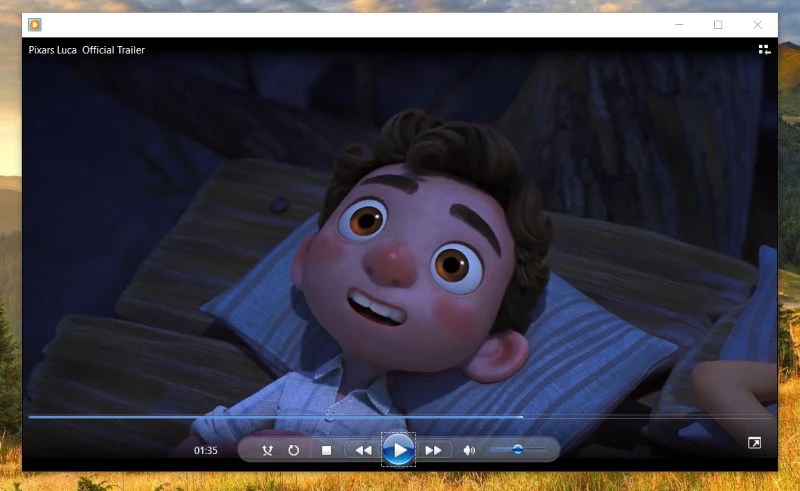
This player comes installed by default on every Windows 10 copy. It is a slo mo video player, which can slow videos down up to 16 times; as usual, you need a very high framerate to make full use of this feature. Other useful aspects include its library sync feature, and support for Microsoft proprietary formats.
Top Features:
- Windows cloud synchronization
- Supports many formats, including Windows exclusives
- Powerful library with flexible search
Pros
- Installed by default
- Perfectly integrated with Microsoft services
Cons
- The library gets in the way if you don’t like it
- Takes a while to load
OS: Windows, macOS
Price: no cost
Slow Motion Video
Slow Motion Video (also known as SloMo Video) is a Microsoft Store app that does just that – and nothing more. Playback video in slow motion or edit it to be slow, and that’s about it. No playlists, no subtitles, etc. There’s an advantage to this simplicity: you don’t need to figure out the interface. And, since this is a Microsoft Store app, it can also run on XBox One.

Top Features:
- It’s a slow motion player
- Can modify video speed and save it
Pros
- Simple
- Available on Microsoft Store
Cons
- Too simple
- Not enough features for everyday use
OS: Windows
Price: free
VLC
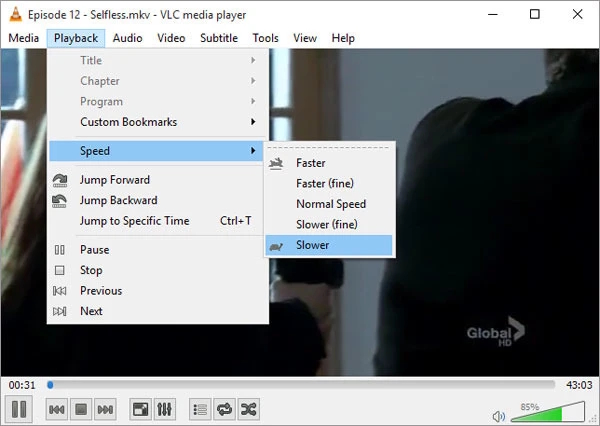
Far from being a Windows exclusive, VLC is available on a whole range of systems, including macOS and Android. And it’s certainly a convenient option for a slow video player. In VLC, you can open a playback speed slider which allows you to set or reset it. You can go up to 4 times faster or slower.
Top Features:
- Playback settings
- Large variety of settings in general
- All-encompassing compatibility
- Can convert and stream
Pros
- Will open any file and play it in slo-mo
- Many other aspects to customize
Cons
- Streaming and conversion are hard to use
- Too many settings to find them easily
OS: Windows, macOS, Android Linux, iOS
Price: free
PlayBack Video in Slow Motion on iOS
Slow Motion'
It’s a quick, compact video editor – just as you’d expect from a mobile app designed to make video play slowly. Slow Motion’ can apply multiple effects to the same track – for example, slow one part, and speed up another. It’s not as quick as a player, and doesn’t have as many playback options, but it does the job.

Top Features:
- Saves slowed video
- Can apply multiple effects at the same time
Pros
- Extremely simple UI
- Edited videos are permanently slowed
Cons
- Not as good at playing video
- Tedious to slow down video without modifying it
OS: iOS
Price: free, in-app purchases
SloPro
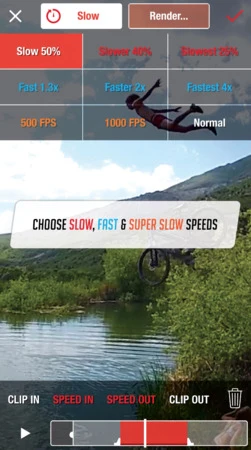
This app can bring your footage down to incredibly low speeds, 0.001x at most. While an iPhone camera can’t produce such high framerates, it uses optical flow technology instead to draw the missing frames. It’s probably the most slow video playback that can be achieved.
Top Features:
- Extremely high video slowdown
- Can save slow-mo videos to be played in other apps
Pros
- Highest degree of slow-motion available for normal footage
- Very easy to use
Cons
- Predicted frames aren’t authentic
- Not good for playing videos normally
OS: iOS, Android
Price: free, upgrade to Pro services for $3.99
Slow Video Players on Android
Slow Motion Frame Video Player
A simple video player with slow motion. The app quickly opens any video and allows you to adjust its current framerate. No editing features, or anything else – you can just open and view. The speed can become quite slow, and it’s free to use, too.

Top Features:
- A simplistic player with slow motion
Pros
- The interface is very simple
- Free to use
Cons
- Limited even when compared to other players
- Doesn’t loop video
OS: Android
Price: free
Slow motion video FX
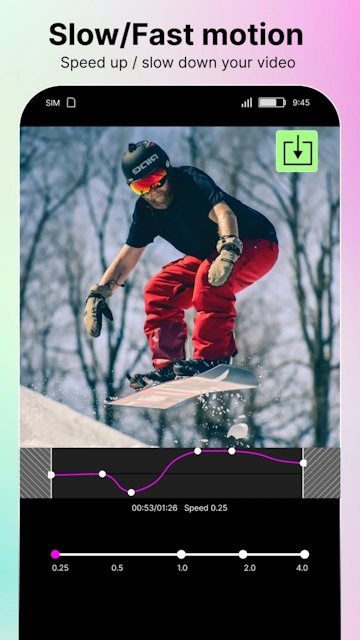
Slow Motion Video FX not only allows you to slow down video but also to record and convert existing videos to slow motion. It is very convenient and easy to use, so even beginners won’t have a hard time learning the app.
Top Features:
- Built-in player
- Advanced workflow allows to choose points on the timeline for both stopping and starting
- Video filters
Pros
- Wide range of creative tools
- Simple graphical interface
- Quick and responsive
Cons
- There are very limited speed change options
OS: Android, iOS
Price: free
User situation: