Electronic Team uses cookies to personalize your experience on our website. By continuing to use this site, you agree to our cookie policy. Click
here
to learn more.
OK
Toggle navigation
ELMEDIA
Video
WMV for Mac
MKV for Mac
AVI for Mac
MP4 for Mac
Video formats
Streaming
Mac to TV
Mac to Apple TV
Mac to Chromecast
Mac to Smart TV/DLNA
Mac to Roku
Audio
MP3 for Mac
FLAC for Mac
WAV for Mac
WMA for Mac
Audio formats
PRO
Blog
Download
Thanks for choosing ELMEDIA
https://cdn.electronic.us/products/elmedia/mac/download/elmediaplayer.dmg
5
1.
Your download will start automatically.
Click here
if it doesn’t begin.
2.
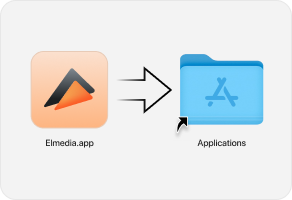
Open the elmediaplayer.dmg file and drag it to the Applications folder.
3.
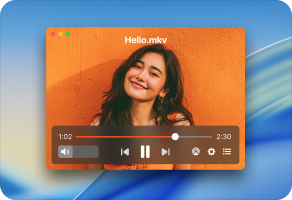
Launch the player and enjoy watching videos.
Get more with
PRO version
What’s PRO? It’s MORE streaming and playback options!
Options
Options
Status
Status
Options
1
Stream local files to Chromecast, DLNA, and Apple TV devices
Status
PRO
Options
2
Use playback enhancement options
Status
PRO
Options
3
Switch the player to the Picture-in-Picture mode
Status
PRO
Options
4
Choose a monitor to play files in full-screen mode
Status
PRO
Options
5
Support for playback of virtually all common video and audio formats
Status
Free
Options
6
Subtitles support
Status
Free
Options
7
Playback control options
Status
Free
Options
Check the full PRO vs. Free comparison
here