The Simplest Way to Stream Video from Mac to Apple TV
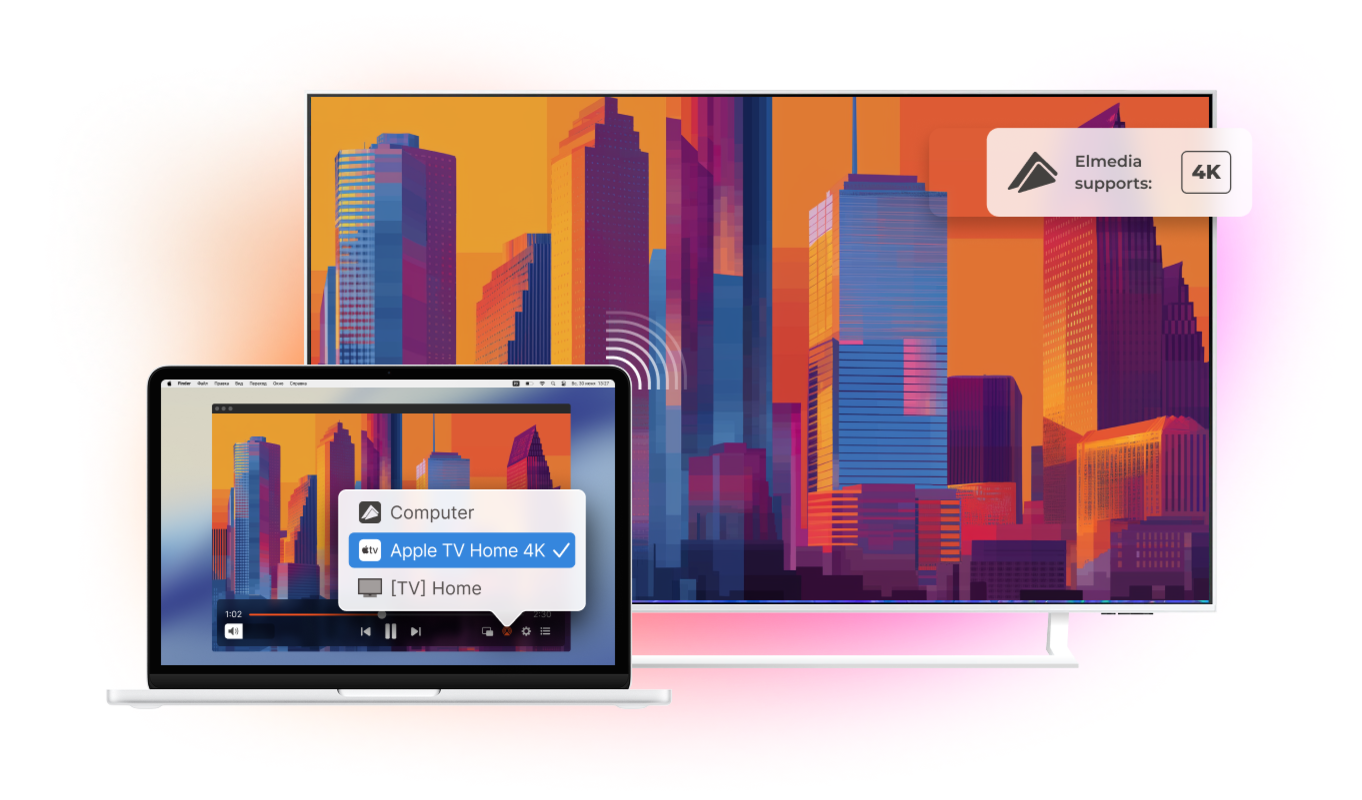
Enjoy wireless streaming from your Mac in seconds. Stream from Mac to Apple TV or any AirPlay-enabled Smart TV over Wi-Fi with no cables, adapters, or extra setup. Elmedia Player lets you play video from Mac on a big screen in just a few clicks. Watch content in any format on any TV without converting files before playback.

4.5 rank
Everything You Need for Comfortable Viewing
Watching on Apple TV is only the beginning. Elmedia Player makes every movie night more enjoyable with smart subtitle support, seamless playlist playback, and wireless streaming that lets you enjoy your favorite content on a bigger screen.
Stream with advanced subtitle support
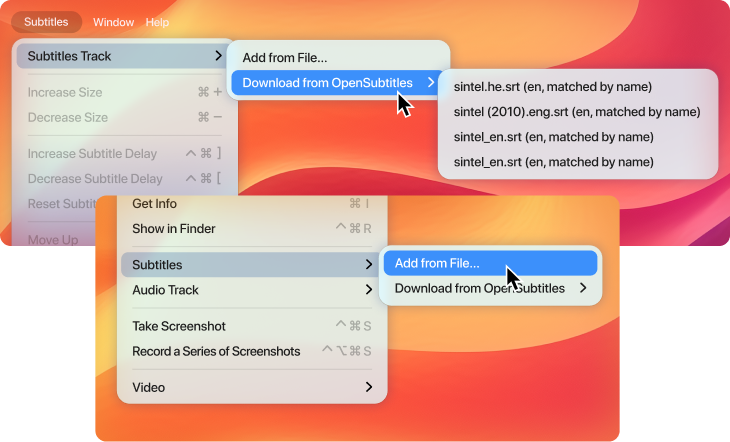
Watch videos with subtitles exactly the way you like them. Open external .srt files or download matching subtitles directly from OpenSubtitles in a single click. Adjust the font, size, color, and then stream movies from Mac with subtitles displayed alongside the video.
Build playlists for non-stop playback
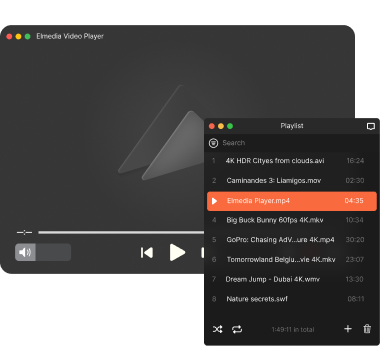
Create playlists with your favorite videos, connect MacBook to Apple TV, and stream them without returning to your Mac after each file. Elmedia Player plays everything in sequence, making it easy to enjoy long viewing sessions.
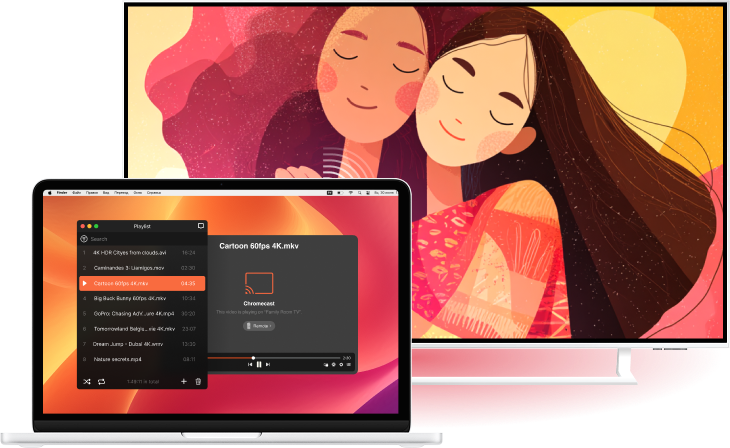
Stream videos beyond Apple TV
Apple TV is just one of many devices supported by Elmedia Player. You can also stream video and audio to Google Cast-enabled devices (including Chromecast and Android TV), Roku players, DLNA-compatible Smart TVs, and AirPlay-enabled TVs.




Elmedia Player
4.5 rank
(
Learn more
)
Full Video Player, Not Just Mac to Apple TV Streaming App
Streaming Mac to TV is only one part of what Elmedia Player can do. As a complete media player for macOS, it offers advanced playback controls, professional video and audio adjustments, broad format support, and features that make every video easier to enjoy.
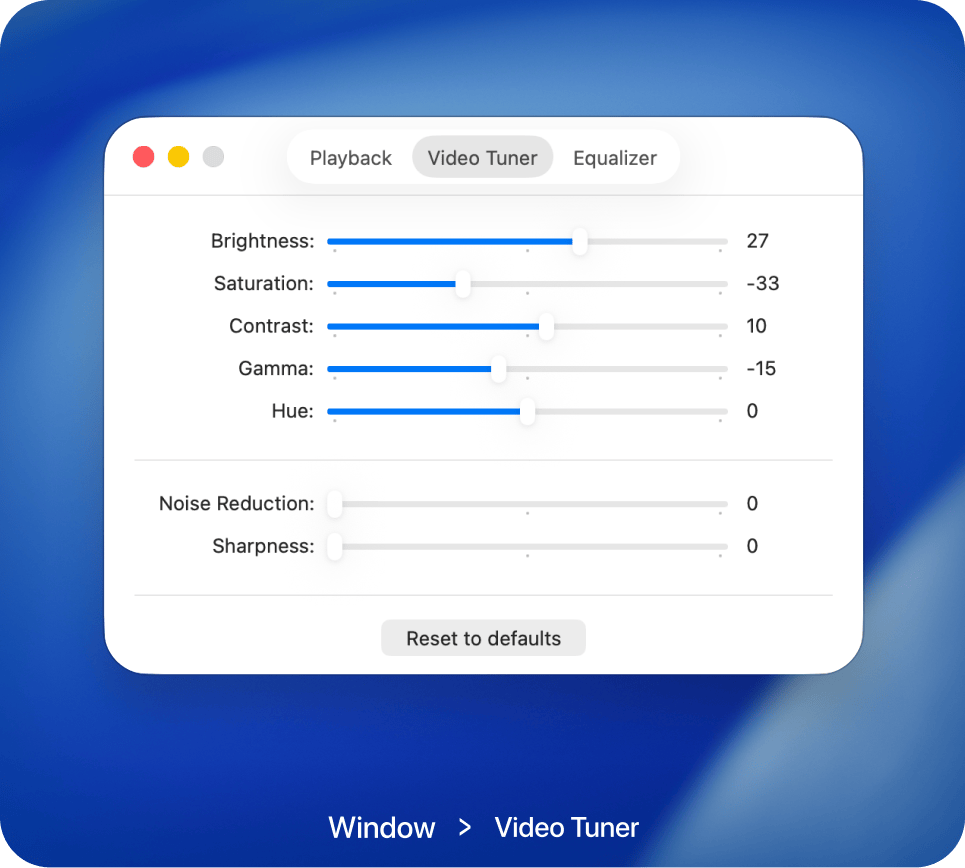
Adjust video the way you like
Improve video with easy-to-use image controls. Adjust brightness, color, contrast, and other settings in real time without interrupting playback.
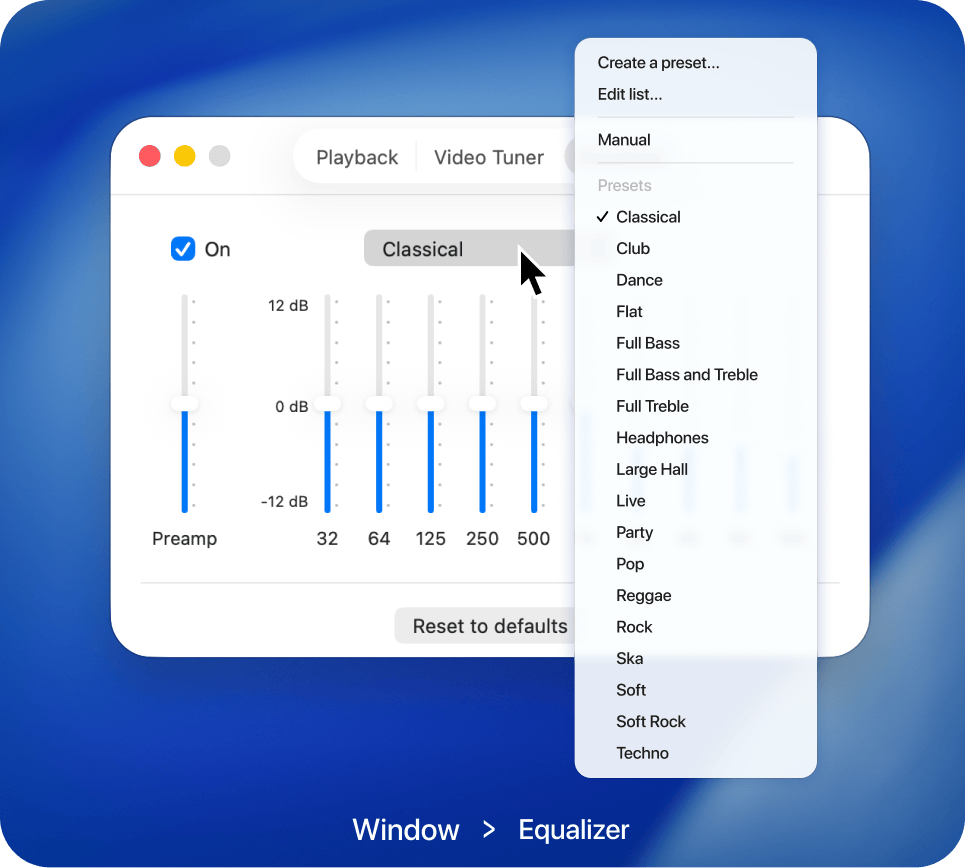
Audio that fits your taste
Customize sound using built-in equalizer controls or select from ready-made presets. Achieve balanced, detailed audio for every type of content.
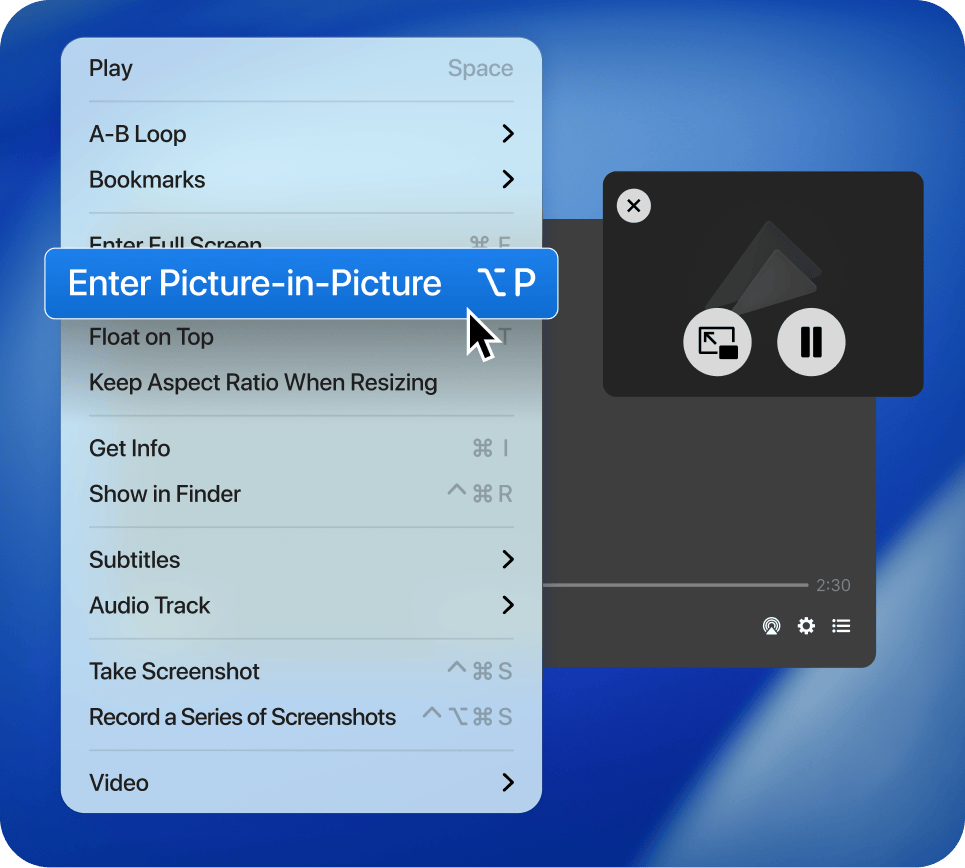
Support for Picture-in-Picture mode
Enable Picture-in-Picture mode to keep videos playing in a compact overlay. Browse the web, answer messages, or work on projects without hiding your content.
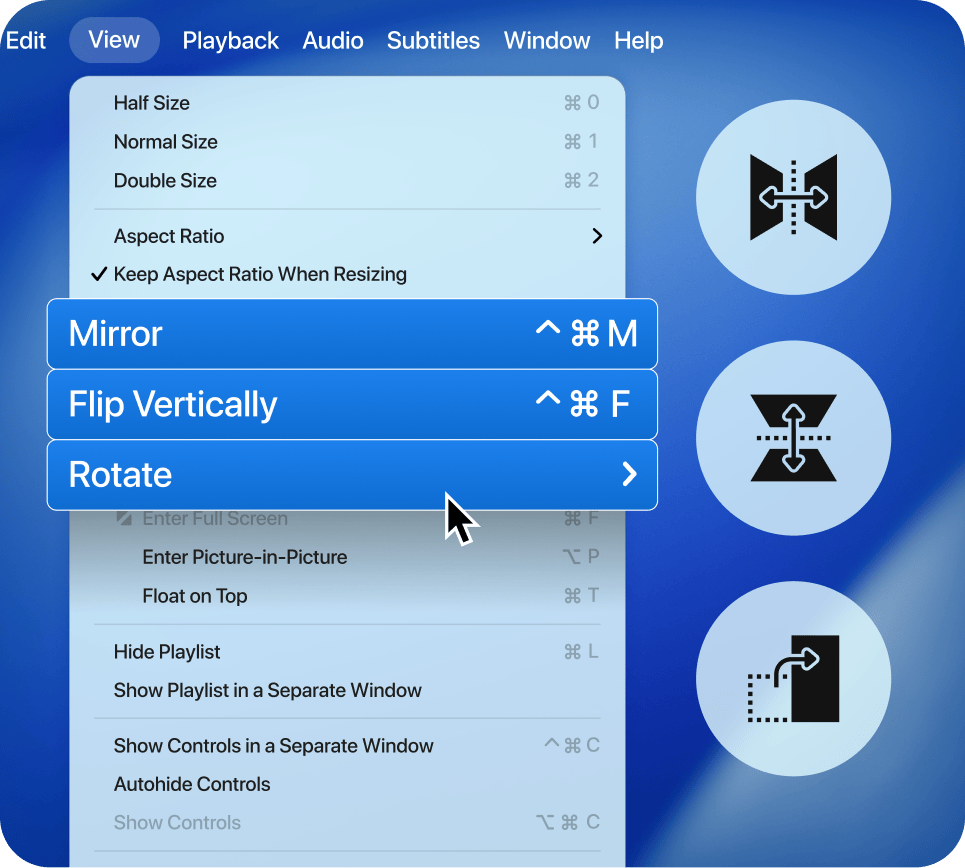
Adjust video rotation
Correct video orientation in seconds by rotating, mirroring, or flipping the image. Make every video comfortable to watch.
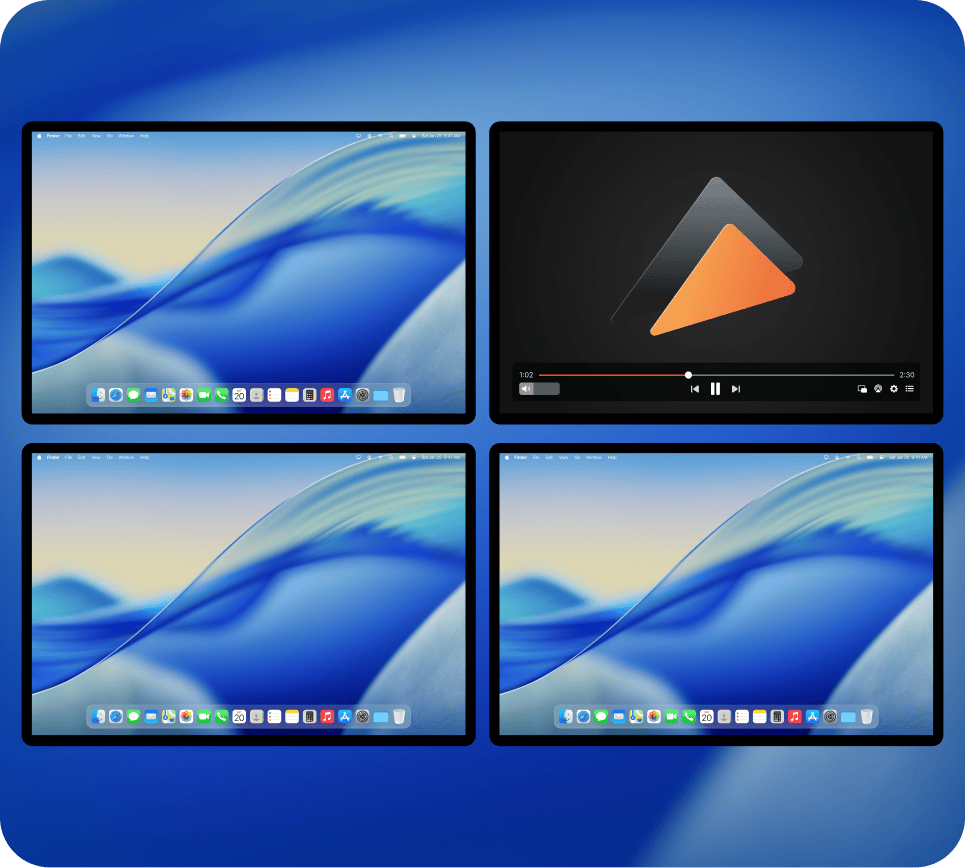
Full screen on any display
Open videos in full-screen mode on any connected screen and enjoy a spacious viewing experience that's perfect for movies and presentations.
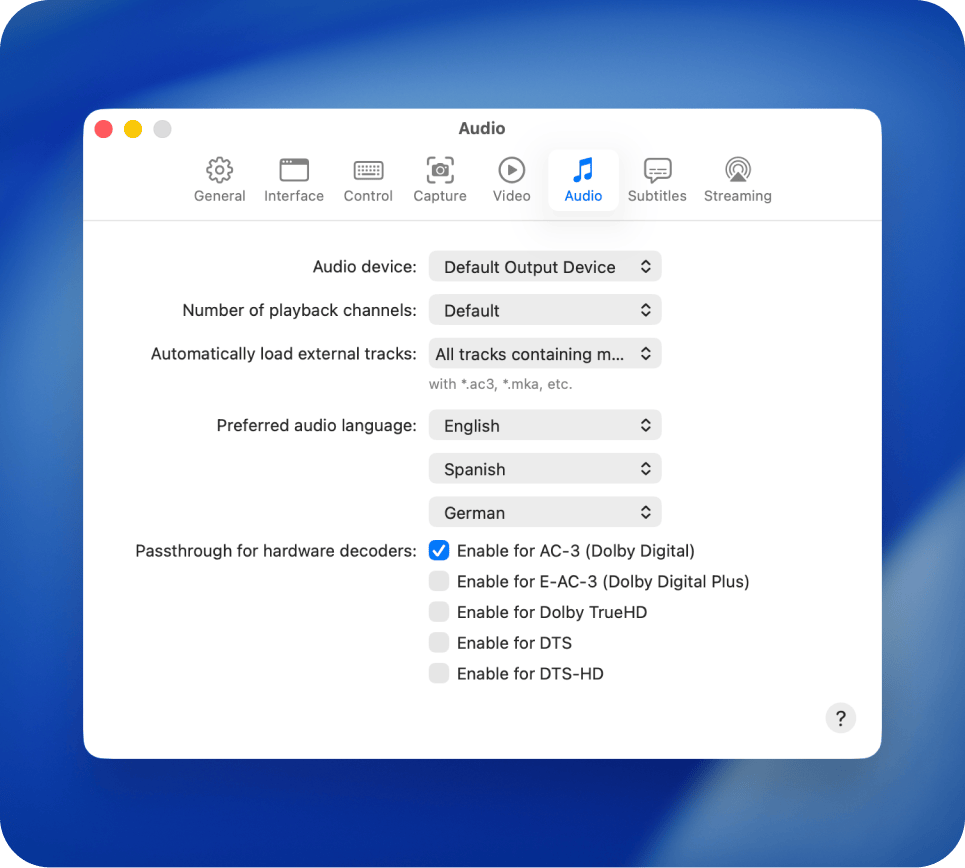
Advanced audio playback
Choose between available audio tracks, switch output devices in seconds, and enjoy support for Dolby Digital and DTS for high-quality sound.
Popular video formats
FAQ
Yes. Elmedia Player streams MKV, AVI, WMV, MP4, and most other formats directly - no conversion required. The app handles transcoding on the fly when needed, so the file on your Mac stays untouched.
Entirely over Wi-Fi. Elmedia Player uses Google Cast, AirPlay, DLNA, and Roku protocols wirelessly.
Yes. Elmedia Player supports external subtitle files and sends them along during streaming. You can also adjust subtitle font size and appearance before casting.
Performance depends on your Wi-Fi network, but Elmedia Player is optimized for large files. A stable Wi-Fi connection handles 4K streams smoothly in most home setups.
Elmedia Player remembers devices you have connected to before. Your TV appears in the streaming menu automatically whenever it is on the same network. No re-pairing or reconfiguration needed each session.
Yes. Streaming continues as long as Elmedia Player is running. You can lock your Mac or turn the display off, and playback on your TV will not be interrupted.
Yes. Elmedia Player offers all essential playback features for free: you can watch videos, listen to audio, manage subtitles, switch tracks, and organize playlists without any limits. Activation is only needed for advanced tools like сolor and picture adjustment settings, screenshot series, or streaming to external devices, etc.
No activation is required. Once you complete your purchase on the App Store, all PRO features become available automatically. You can start using the full version of Elmedia Player right away.
Follow these steps to set Elmedia Player as a default for the specific format:
- Launch Finder and locate a video file.
- Right-click the file and choose the “Get Info” option.
- In the “Get Info” window, expand the “Open with:” section.
- From the drop-down menu, select Elmedia Player.
- Click the “Change All… ” button (this will apply to all files of that same format).
- Click “Continue” to confirm the prompt.
Elmedia Player supports virtually all popular video and audio formats. You can play MP4, AVI, MOV, MKV, FLV, WMV, MP3, FLAC, and many others without installing extra codecs or plugins. Full list can be found here.
Yes, with Elmedia Player, you can stream any local video straight from your Mac to your Apple TV over Wi-Fi. Whatever format your video is in, Elmedia Player gets it playing on Apple TV or any AirPlay-enabled Smart TV in just one click.
Requirements: