 ELMEDIA
Does a good movie experience mean going to the cinema? Not necessarily. You no longer need to leave your house to enjoy a cinema-like atmosphere in your living room. With the proper setup and equipment, you can achieve all that while watching a movie at home. This article provides a step-by-step guide to choosing the most suitable equipment, setting it up, and avoiding common mistakes so you can enjoy your movie-viewing experience to the fullest.
Understanding Video Quality: File Formats and Resolution
There are several types of video in terms of quality (or compression), file size, and other characteristics. Read below for an explanation of the most common video qualities you can come across and to learn which quality is best for movies:
- Full HD (1080p): Considered the baseline standard, its introduction delivered smoother motion and less flicker. It was the most common resolution for a long time and still maintains its high popularity. It’s clean and clear, but lacks the crispness needed for massive modern screens.
- 4K UHD (Ultra High Definition): It provides four times the detail of 1080p. It’s great for larger screens and is generally regarded as the best TV resolution for movies and high-quality video. Most streaming platforms offer large libraries of 4K content. 8K movies are not widely available to the public, so 4K remains the best movie quality at the moment.
Here are some of the most popular containers you can choose from:
- MP4 (MPEG-4 Part 14) – One of the most popular video formats. Its efficient storage of compressed data (commonly using the H.264 video codec and AAC audio codec) provides good quality at a relatively small file size. It is natively supported by almost all modern devices.
- MOV (QuickTime Movie) – This format was developed by Apple, which makes it popular on iPhones and iPads, but not only. It can hold video and audio, as well as text.
- MKV (Matroska Video) – An open-source multimedia container format that can contain an unlimited number of video, audio, picture, and subtitle tracks bundled as a single file.
- M2TS (MPEG-2 Transport Stream) – A multimedia container format commonly used for Blu-ray Discs. It supports high-definition video, multiple audio tracks, subtitles, and other data, which makes it great for storing high-quality video content.
What Equipment Do You Need to Watch Movies at Home?
It can be challenging to choose the best equipment, but the section below describes what you need to take into consideration for the ultimate movie experience:
Audio
Good audio can be a game-changer for immersion. For a simple home theater setup, you can opt for a good receiver. Alternatively, you can get a component system that costs more but includes a processor connected to power amplifiers. A soundbar is another convenient choice, as it requires almost no setup at all. Models that include a separate subwoofer deliver deeper, more powerful bass, but advanced soundbars with dedicated multidirectional speakers can create a convincing surround sound experience.
Display
A High-Quality Projector
Modern 4k projectors with built-in speakers are compact, yet produce very large, immersive images, ideal for a small home cinema room. There are portable models as well. Since you’re looking at reflected light rather than directly at the screen, many people find projectors more comfortable for watching movies for long periods of time. They deliver a decent overall experience.
The TV Route
When it comes to TVs, the factors that come into play include: size, screen resolution, plus the underlying software ecosystem and panel technology.
Screen Size and Viewing Distance
The bigger, the better. Thanks to the number of pixels in 4K resolution, you’ll see a clear picture even from a shorter distance. Here are the recommended TV sizes when setting up a home theater:
- Under 7 feet: 48″ to 55″
- 7 to 9 feet: 55″ to 65″
- 10+ feet: 65″ to 75
Panel Technology
There are two main display technologies used in modern TVs. The lighting in your room and your viewing habits will bring it down to one of the two. Here are the technologies behind each panel type and what viewing conditions they’re intended for:
- OLED: Each individual pixel lights up on its own and respectively, can turn completely off. This means true blacks and infinite contrast, making it the best way to watch movies in a dark room.
Top Models to Consider: - LG C5 OLED: It comes with Filmmaker Mode, Dolby Vision, and exceptional brightness processing.
- Samsung S95F (or S90F) OLED: Renowned for its brilliant Quantum Dot color reproduction and excellent anti-glare screens.
- Sony BRAVIA A95L: The flagship QD-OLED, often considered the ultimate centerpiece for any high-end home cinema.
- QLED / Mini-LED: If there are a lot of windows or ceiling lights in your living room, or you simply prefer daytime viewing, Mini-LED TVs are the way to go. They’re significantly brighter than OLED TVs, successfully combating glare. Although they don’t achieve true blacks, they’re more immune to screen burn-in.
Top Models to Consider: - Sony BRAVIA 9: Frequently rated as the top Mini-LED for movie fans due to its top-tier image processing and bold blacks.
- TCL QM8K (or QM7K): An incredible value for premium brightness and contrast.
Smart TV Platforms
Your TV uses Smart TV platforms like Android TV, Tizen, webOS, and Roku OS as its operating system. These platforms provide the interface, manage apps and system features, and give users access to streaming services. Together, they provide high-quality images and seamless access to content. Here are their main characteristics:
Roku TVs
Roku TV is a television that comes with the Roku OS built into it. It combines Roku’s powerful streaming service with its user-friendly operating system, Roku OS that delivers quick and easy access to entertainment right from the TV’s native interface.
High-quality features:
- Robust app ecosystem
- Roku software automatically detects your hardware’s capabilities (e.g., 4K resolution, HDR10, or Dolby Vision).
Android TV and Google TV
Many smart TVs run on the Android TV or Google TV platform. These platforms offer an intuitive interface, and you can easily access streaming services and games, so your home entertainment might become more convenient and enjoyable. With access to thousands of apps and seamless integration with the Google ecosystem, they provide everything you need to set up a home theater and enjoy your favorite movies and shows on the big screen.
High-quality features:
- Since they run on Android, such TVs have access to media playback software directly from the Google Play Store.
Samsung TV
Samsung Smart TVs primarily run on the Tizen platform. It offers an intuitive interface where you can access streaming services, apps, and much more. Tizen integrates easily with the SmartThings ecosystem and delivers reliable content streaming to multiple devices.
High-quality features:
- Fast, responsive interface with quick access to streaming apps.
- Built-in Samsung SmartThings integration
If You Want to Play Media from Your Laptop
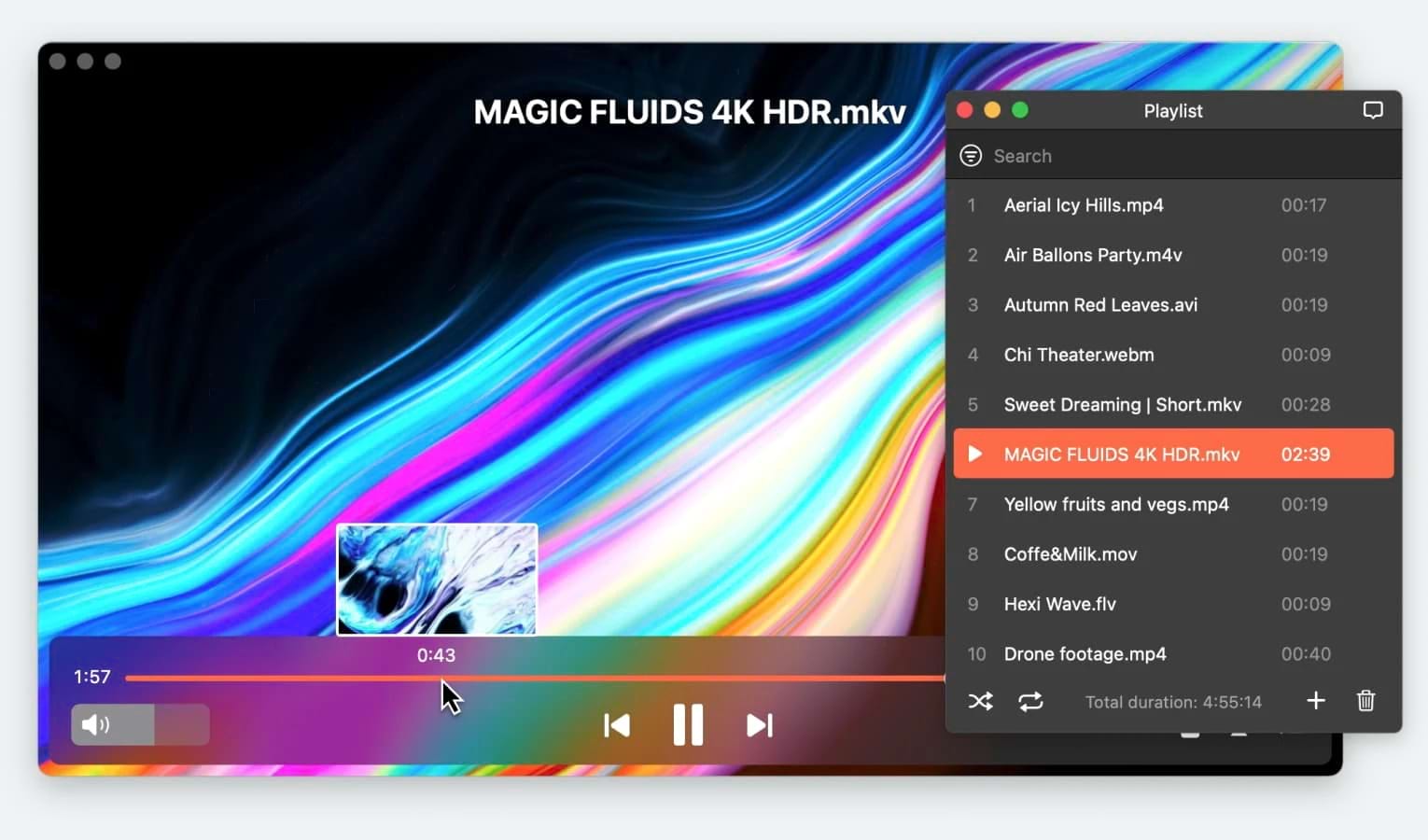
Elmedia is a versatile media player designed for users who need reliable performance and broad format compatibility. If your movie collection is stored on your laptop, it makes it easy to enjoy those files on a much larger screen without moving them between devices.
With wireless streaming support, Elmedia lets you send content directly from your Mac to Apple TV, Smart TVs, Google Cast-enabled devices (including Chromecast and Android TV), and other AirPlay- or DLNA-enabled devices. This compatibility covers most modern smart TV setups, making streaming simple and convenient, a perfect choice for a small home theater room.
Whether you’re watching standard-definition videos or high-definition content, the app’s powerful playback engine ensures smooth performance, though overall streaming performance also depends on your router and network settings.
Elmedia also provides robust subtitle support, giving you full control over how subtitles look during playback. You can add subtitle files manually or have them loaded automatically. The player supports popular subtitle formats such as SRT, ASS, and SMIL, among others. For streaming, you can enable the Burn subtitles into video option for devices that don’t support subtitle tracks – the text is merged with the video and sent as a single stream.
VLC Media Player is available on multiple platforms, including Windows and macOS, but the classic desktop version of Windows includes a more powerful and detailed set of advanced streaming features. VLC Media Player offers a simple way to enjoy content from a laptop on a larger screen. The player can stream videos from your local library directly to a TV over your home network, eliminating the need to transfer files between devices.
Its built-in Renderer feature supports wireless streaming to Chromecast devices and media players, so you can watch high-bitrate videos without relying on an HDMI connection. As a free, open-source solution, VLC handles an impressive range of media formats and delivers smooth, reliable playback, making it a practical choice for turning your Windows PC into a streaming hub for a budget small home theater.
How to Set Up Your Home Screening Room
Below, you’ll find small home theater room ideas and a step-by-step guide on how to set up your space in such a way as to get the most out of your equipment:
1. Choosing the Right Room
If you’re using a home projector, set it up in a separate room with low or medium light (ideally with no windows) and a white wall or screen. It’s best to keep it away from high-traffic areas, which is what makes the basement a perfect choice.
2. Equipment Placement and Installation
Place the projector on a flat surface. If possible, mount it on the ceiling or a wall. Having it sit at a particular distance from the screen will make the image focused and a suitable size. Adjust the screen height, use a calculator to determine the optimal throw distance, and select brightness (between 1,500 and 5,000 ANSI Lumens). Connect the projector to the source device(s).
3. Acoustic Treatments
High frequencies and the so-called ‘early reflections’ reduce sound quality. This is caused by hard surfaces, improper speaker aiming, etc. To improve this, you can try adding soft materials to the room, such as a rug, window curtains, and pillows. Alternatively, you can install absorptive wall panels. You do need some reflections, however, so don’t completely cover your movie room.
4. Calibration of Audio And Video
In a larger room, your TV’s built-in speakers won’t be enough to fill the space with clear sound. Adding a soundbar or a 5.1, 7.1, or 9.1 surround sound system (depending on room size) creates a more enveloping listening experience.
For the best results, position the front left, right, and center speakers at the front of the room. The center channel deserves special attention, as it delivers around 70% of movie dialogue. Aim it directly toward ear level. Place the surround speakers slightly behind and to either side of your seating area to complete the soundstage.
5. Control Lighting and Reflections
To achieve the dark environment required to enjoy your favorite 4K movie at home, you can use blackout curtains. In addition to improving acoustics, as mentioned above, they will block ambient light and create deeper contrast. Placing curtains on other walls, not just on windows, can prevent the screen’s light from reflecting back onto the walls.
Common Errors & How to Fix Them
Having the best equipment doesn’t always guarantee the optimal experience. Errors in the settings may cause your movie room to perform poorly. Let’s look at the most common problems and learn how to fix them:
The "Soap Opera Effect"
The soap opera effect is found on many modern televisions and shows hyperreal, ultrasmooth motion. Also known as motion smoothing or motion interpolation, it is achieved by artificially adding extra frames to the video. Although useful for some sorts of content, such as sports and reality TV, it can worsen your experience when watching movies or high-end shows.
The easiest way to fix this is to turn on Filmmaker Mode, or switch to Movie, Cinema, or Calibrated mode on your TV. If the smoothing effect is still on in those modes, however, you need to manually disable it from the settings. Note that it comes under different brand names such as TruMotion (LG) and MotionFlow (Sony) that are related to the Motion Enhancement feature.
Muffled Dialogue
When you’re having difficulties hearing the dialogue in a movie, turning up the volume might not always help. Especially if you’re watching an action-packed film with loud scenes. And some viewers are not fans of closed captions. To fix the issue, you could look into your TV’s sound settings. Many modern TVs have different sound / audio modes, such as Clear Voice or Voice Enhancement. Also, you can search your manual for a volume leveller feature used to create a consistent volume level. Some televisions even offer AI Acoustic Tuning to optimize the sound based on the room’s acoustics, which also improves dialogue clarity.
Audio and Video Are Out of Sync
Sometimes, audio sync issues can occur even when watching the best 4K movies. If the sound is lagging behind or speeding up, first check whether the problem stems from the source file. Try opening it using different apps. If the issue persists, it may mean that the file is corrupted due to bad encoding.
If the audio and video are out of sync, you can adjust the audio delay settings in your media player during local playback. Note that these adjustments are generally not applied when streaming content to a TV. This allows you to manually increase or decrease the delay. More advanced users can try to re-encode the video or use specialized software such as Adobe Premiere or Final Cut Pro to fine-tune the timing.
Conclusion
Watching high-quality movies from the comfort of your home can be an unparalleled treat. Today, users have easier access to great equipment and software than ever, allowing them to create the ultimate home cinema. In this article, we provided small theater room ideas, discussing the different hardware options and apps, such as Elmedia. We also shared setup and placement advice, as well as some common issues & fixes, to ensure you have the best experience.
We hope this article will help make your movie-watching experience at home more enjoyable!